













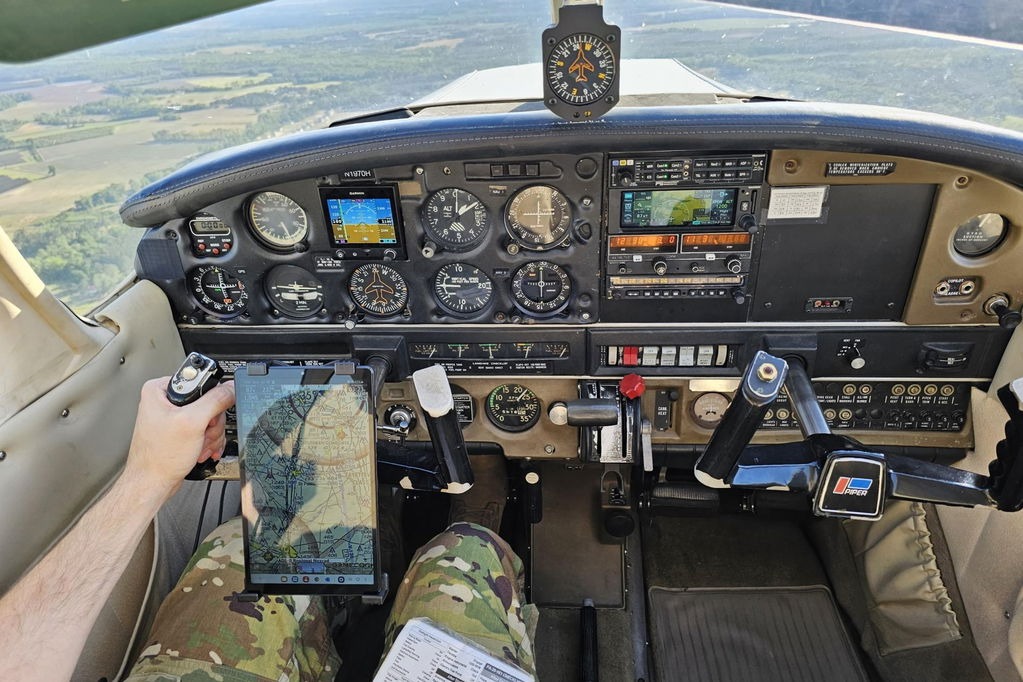

Home flight simulators are valuable resources for practicing visual flight rules (VFR) skills in a low-cost, virtually risk-free setting. Flying under VFR requires a pilot’s eyes to be their primary sensors, constantly scanning for terrain, traffic, and weather. Simulators provide a platform to rehearse these crucial skills, allowing pilots to coordinate turns, manage altitudes, and work the radios. When used with intention, they are powerful training tools that allow for repetition and refinement of techniques, whether flying the pattern or dead reckoning over a river valley.
Optimizing Your Home Simulator for Training
For a simulator to provide training value, it must reflect reality as closely as possible. This starts with the initial setup and settings.
Hardware and Visuals for Realism
Realism in visual scanning and traffic spotting is crucial. A single monitor restricts the field of view, so a wider or wraparound setup with multiple monitors or virtual reality is ideal for practicing situational awareness effectively. To bring the experience closer to a real cockpit, consider investing in a yoke, throttle quadrant, and rudder pedals. A decent system can be acquired for less than $500.
Software and Aircraft Selection
Microsoft Flight Simulator and X-Plane are two of the most effective platforms for VFR flight, offering realistic flight characteristics and detailed scenery. It is essential to fly aircraft you will actually fly in real life. Student pilots will benefit most from choosing a trainer aircraft like a Cessna 150/152 or 172, or a Piper Cherokee, as they handle predictably and teach good habits.
Realism Settings and Essential Tools
To train for real-world decisions, disable settings like unlimited fuel and experiment with different weather and weight-and-balance factors to see how they impact flight characteristics. Utilize essential tools like VFR sectional charts (paper or digital) and electronic flight bags (EFBs) to create an immersive procedural experience.
VFR Training Scenarios
Specific, objective-based scenarios can help build core skills, muscle memory, and mental sharpness.
Scenario 1: Pattern Work and Airmanship
Many initial flight hours are spent in the airport traffic pattern. Use the simulator to practice standard left-hand and right-hand patterns at your home airport. Focus on maintaining consistent altitudes and airspeeds, executing stable approaches, and working in go-arounds and radio calls. Although takeoffs and landings feel different in a simulator, it is an excellent place to manage speeds, altitudes, and communications.
Scenario 2: Short Cross-Country Navigation
A 50-100 nm cross-country flight is ideal for practicing VFR navigation using pilotage and dead reckoning. Simulate the entire mission from route planning to a simulated flight plan activation. A good example is a flight from KAPA (Centennial, Colorado) to KFNL (Fort Collins-Loveland, Colorado). Navigate using only a sectional chart and the world outside the cockpit—do not use GPS. Practice identifying checkpoints like lakes and highways, and work to build timing accuracy to arrive within five minutes of your planned ETA.
Scenario 3: Practicing Diversions
Improve decision-making during unexpected reroutes. During a planned cross-country flight, initiate a spontaneous diversion due to simulated worsening weather or a rough-running engine. Without pausing the simulator, use your sectional or EFB to find the nearest suitable airport, calculate a heading and distance, and consider the fuel requirements to execute the diversion. The goal is to build real-time problem-solving skills under pressure.
Scenario 4: Navigating Complex Airspace
Pilots who did not train in a major metropolitan area can use simulators to build comfort with busy airspace procedures. Plan flights through Class B or C airspace, such as those around San Diego International (KSAN) or Phoenix Sky Harbor (KPHX). Practice contacting approach control, requesting VFR transitions, and navigating around Bravo shelves to learn how to manage higher workloads while maintaining situational awareness.
Scenario 5: Emergency Procedures
Emergency preparedness can be honed by simulating engine or systems failures. Start with an engine-out scenario at cruise altitude: establish best glide speed, pick a field, run the emergency checklist, declare an emergency, and fly the approach. Then try it right after takeoff at 500 feet AGL. Rehearse the “ABCDE” mnemonic (airspeed, best landing spot, checklist, declare, execute) and simulate other issues like electrical failures or stuck radios.
Bonus Scenario: Mountain Flying
Take advantage of the ability to fly almost anywhere in the world by practicing in unfamiliar terrain. For mountain flying, try Idaho’s backcountry, flying from Johnson Creek (3U2) to Smiley Creek (U87). The elevation changes and narrow valleys are ideal for practicing route planning and terrain clearance.
The Importance of Debriefing
Every training flight, whether real or virtual, should end with a debrief. Use your simulator’s replay feature to review altitudes, airspeeds, and headings. Assess if your radio calls were timely and if you identified landmarks correctly. Keep a training journal or logbook to record what went well and what needs improvement. Perfection isn’t the goal—progress is.
From Virtual Practice to Real-World Proficiency
Home flight simulators are not toys. When used intentionally, they become powerful tools that allow pilots to build core skills in a safe and affordable environment. The lessons learned and muscle memory developed through simulated pattern work, cross-countries, diversions, and emergencies can be brought directly into the real cockpit.
FAQ
What are the best flight simulators for beginner pilots?
Microsoft Flight Simulator and X-Plane are two of the most popular and effective platforms for pilots learning VFR flight. They both offer realistic flight characteristics, detailed scenery, and physics for most aircraft.
Can flight simulators actually improve real-world flying skills?
Yes. Home flight simulators provide affordable and realistic practice that can help students save time and money during their real-world flight training. When used intentionally, they are powerful tools for building core skills.
What equipment is needed for a good home flight simulator setup?
A serious home simulator setup typically includes at least two monitors for a wider field of view, a yoke, a separate throttle control, and rudder pedals.
What kind of aircraft should I fly in the simulator for VFR practice?
To get the most benefit, you should fly aircraft in the simulator that are similar to the ones you fly or will fly in real-world training. For most student pilots, this will be a trainer aircraft like a Cessna 172, Cessna 150/152, or a Piper Cherokee.
How much does a decent home simulator setup cost?
A decent system can be acquired for less than $500.
What specific VFR skills can I practice with a home simulator?
You can practice a wide range of VFR skills, including airport pattern work, takeoffs, landings, go-arounds, cross-country navigation using pilotage and dead reckoning, flight diversions, navigating complex Class B and C airspace, ATC communications, and emergency procedures like engine failures.
FLYING may earn revenue from the products available on this page and participate in affiliate programs.
Good article as a reminder. I would also add, simulators like X-Plane are excellent because of the open source development community. My local FBO just got an C172 with a Garmin panel, I purchased the simulator module for the panel, loaded into X-Plane and spent a few hours at my desk learning the panel before pursuing a checkout in the aircraft.
This is a boring generalized regurgitation by AI of what is already readily available on the internet regarding the use of flight simulators. A simple search will find much more informative and interesting articles on this topic written by seasoned pilots and journalists. I don’t see the value added here. Avweb’s game is not what it use to be.
Sure buddy … sure! You know it all … and a 4K rendering of glass panels, navigators and flying approaches to minimums is a waste of time…